
A8PRO PDF MASTER
Free software for working with PDFs
Free software for everyday document tasks. Arrange pages, fix orientation, recognize scans and save the result — on your own computer.
- Free
- Windows x64
- Works offline
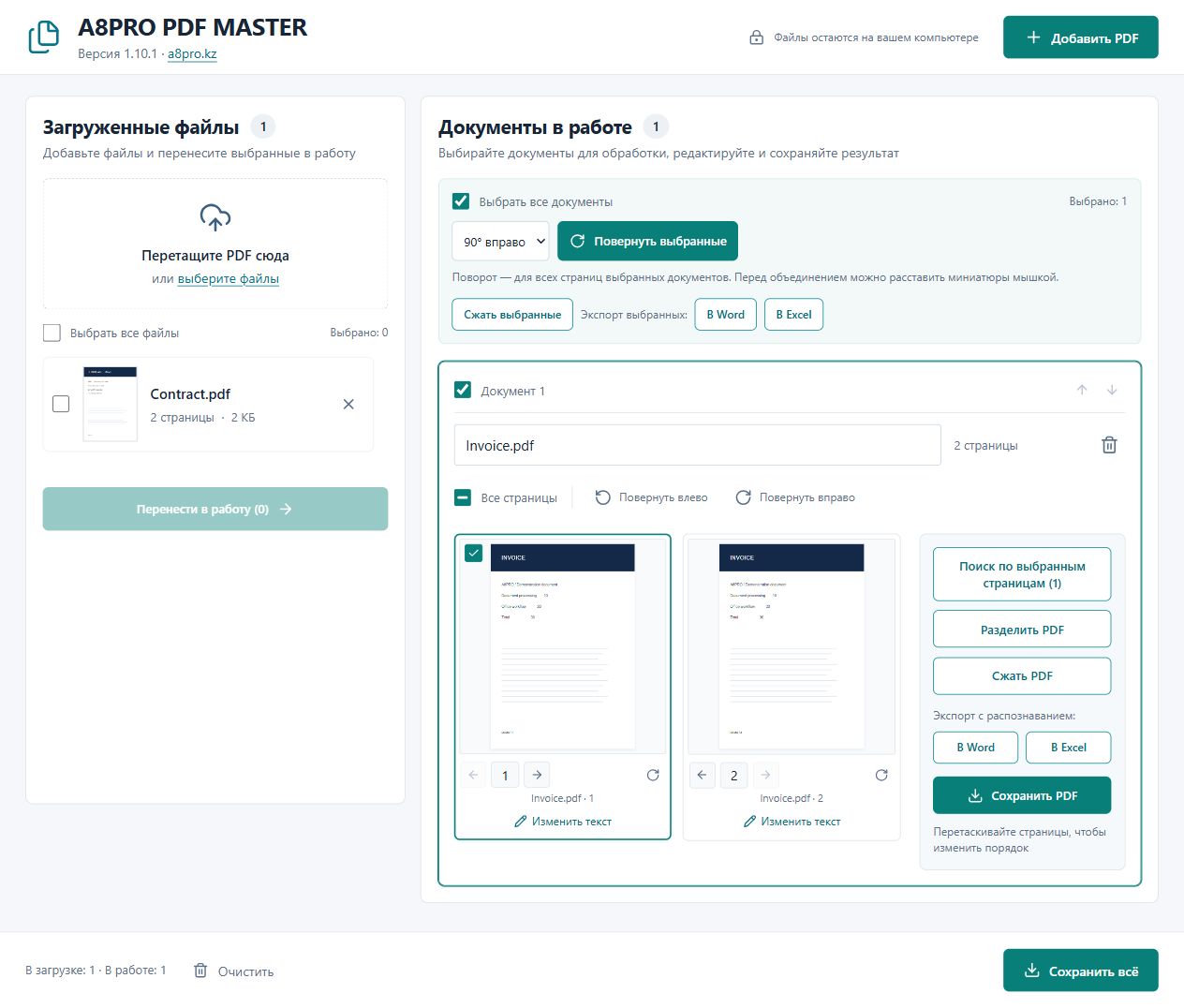 Explore the interface
One application for everyday PDF tasks
From reading an agreement to preparing a document pack. Check the result on screen before saving it.
View and print
Read a continuous page feed, zoom and jump to a page. Print using the system dialog with printer, page and copy selection.
Merge documents
Select PDFs, arrange thumbnails and create one document. Rotations and edits are preserved.
Rotate pages
Rotate individual pages or multiple documents by 90° left, 90° right or 180°. Batch rotation keeps documents separate.
Arrange and rename
Drag pages or use arrow controls. Give each output a clear name before saving.
Recognize scans
Recognize Russian, Kazakh and English text. OCR engine and language data are bundled; no document upload is required.
Save in batches
Save one PDF or all prepared documents to a folder. Batch saving adds a number when a filename already exists.
Split PDFs
Create a PDF per page, split every N pages or define page ranges. Rotations and edits stay intact; the source file remains whole.
Search text and scans
Find text in a document or selected pages. Enable OCR for scans in Russian, Kazakh and English.
Compress PDFs
Optimize the structure without quality loss or reduce scans to 150 / 96 dpi. Review the result; an already optimized file may not shrink.
From separate files to a finished document
Sources and outputs stay separate, so you can see what is ready and what still needs work.
Add PDFs
Drop files into the window or use Add PDF.
Prepare the result
Move files to the workspace, rotate and reorder pages, or merge documents.
Review and save
Inspect the enlarged preview, choose a name and save a PDF or export to Word / Excel.
From PDF to Word and Excel
Export a whole document or selected documents as separate files to continue editing text or working with tables.
Word · DOCX
Editable text, simple tables and sections following source pages. Continue editing the document text.
Excel · XLSX
A sheet per page, with rows and columns based on text positions. Ordinary numbers stay numeric; identifiers with leading zeros stay text.
Automatic mode reads the text layer and recognizes scanned pages. Re-recognize every page when the text layer is incomplete or damaged. Rotate pages to a readable orientation first.
Export transfers text and simple tables. Complex layouts, images, merged cells and original fonts are not reproduced in full. Review recognized numbers and tables.
Replace the text that needs changing
Open Edit text, select a detected fragment or draw a region, and enter a replacement. Scans are recognized automatically. Adjust size and color or undo recent replacements.
Replacement removes the old content inside the region and inserts new text on a white background. Select precisely: overlapping lines and images may also be removed. Paragraphs do not reflow like in Word.
For the documents you work with every day
Office work
Combine agreements and attachments, rotate scans and give documents clear filenames.
Accounting
Prepare invoices, statements and scans; transfer text and simple tables to Office for further work.
Personal tasks and study
Combine materials, prepare PDFs for printing or turn a scan into editable text.
Before you start
Is the application really free?
Yes. A8PRO PDF MASTER is free to download from this page. Both installer and portable version are available without payment.
Does it need internet access?
No. PDF processing is local, and the OCR engine, language data and font are bundled. Internet is needed to download the application or open the website.
Which PDFs are supported?
Text PDFs and scans. Up to 150 MB per file and 400 MB of opened sources in total. Password-protected PDFs and XFA forms are not supported yet.
What happens to signatures and forms?
Page changes invalidate digital signatures. Filled standard form fields become ordinary page content during merging or reordering. Bookmarks and internal links may not survive.
How accurate is OCR?
Results depend on scan quality, orientation and language. Review text, numbers and tables before use. OCR does not guarantee error-free output.
Which download should I choose?
The installer adds a shortcut and registers PDF opening support. The portable EXE runs without installation. Windows Open with can select PDF MASTER.
How does scan compression work?
The 150 / 96 dpi modes turn pages into lower-quality images. They remove text layers, search, links, bookmarks and editable fields. Text selection requires OCR again. Lossless mode preserves text and sharpness.
Download PDF MASTER for free
Version 1.10.1 for Windows x64. Choose how you want to run it.
Windows installer
Installation, shortcut and opening PDFs through Windows.
Download free ↓Size: 108.6 MB · EXESHA-256 checksum
974d83480b884a5097e732cd15e7da5339d6396120b37a7b53b1fae63627fad8Portable version
One EXE file. Download and run.
Download free ↓Size: 108.4 MB · EXESHA-256 checksum
8a1896985ff8ad15e758169a939bcfd9f284a0c429843e4e56e0bdc39da80a25This build has no publisher digital signature. Windows may display an unknown-publisher warning.
A question about your PDF workflow?
Tell us what you need to do — we can explain the available features.